

A salesperson tells a customer that an order is ready. The warehouse sees a missing item, while finance is still correcting the customer's account. Everyone is working hard, but each team is answering from a different picture of the business. Connecting CRM and ERP can reduce this uncertainty and give customers more dependable answers throughout the buying journey.
The value comes from agreeing which information matters at each decision. Moving every field between every system usually adds complexity before it improves a single conversation.
Understand the different jobs of CRM and ERP
A CRM typically supports relationships, enquiries, opportunities and sales activities. An ERP typically manages operational transactions such as orders, purchasing, stock and invoicing. Products overlap, and a smaller business may already have enough capability in one platform. These are responsibilities to map, rather than a rule that every company needs two expensive applications.
Ask what sales cannot currently answer reliably. It might be the status of an accepted order, the customer's agreed terms or whether a promised delivery is realistic. Then ask what operations needs from sales. Usually it is a complete requirement, a confirmed commercial agreement and the context behind unusual commitments.
Choose an owner for each shared fact
Create a simple ownership map before designing synchronisation. The ERP might own product availability and invoiced amounts, while the CRM owns opportunity stage and the next customer conversation. Customer addresses may require a controlled update process because different addresses can serve different purposes.
Avoid a rule that whichever system changed last wins every disagreement. A salesperson correcting a contact name is different from changing an invoice address after an order is placed. Define who may propose a change, who approves it when necessary and what historical transactions must retain. Integration should make these rules enforceable, not conceal the absence of a decision.
Connect a complete customer journey first
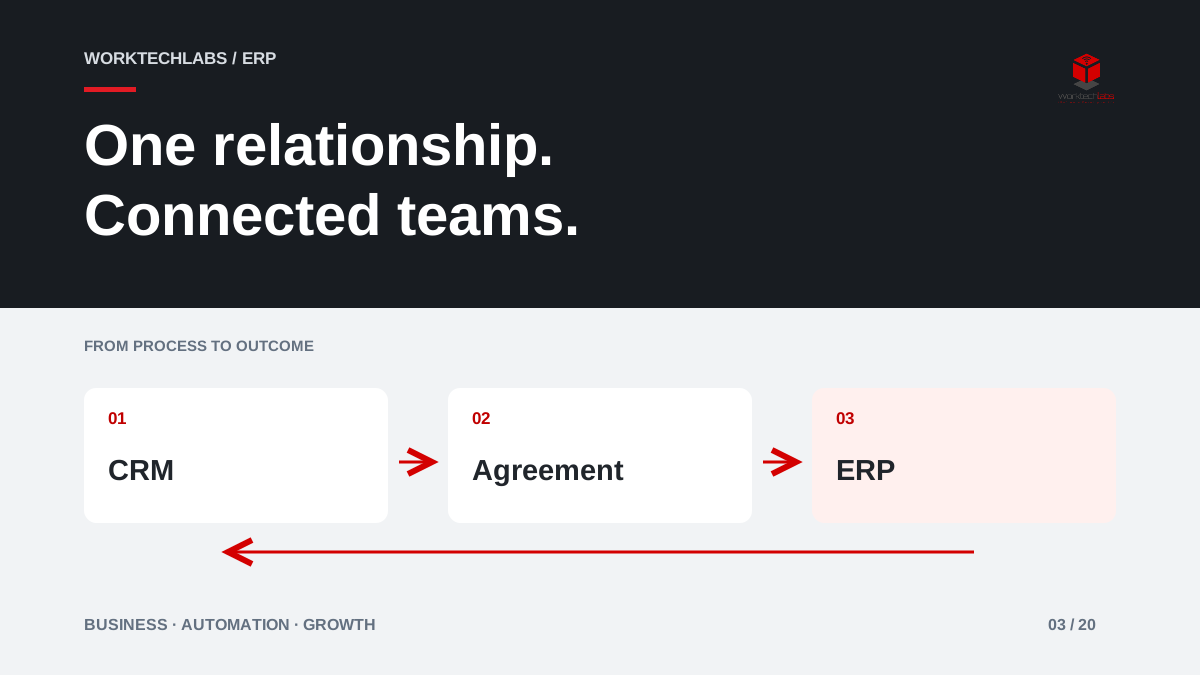
An illustrative distributor could begin with a narrow flow: a qualified opportunity becomes an accepted quotation; the accepted quotation becomes an ERP order; the order reference and fulfilment status return to the CRM. Sales can then answer the customer's next question without requesting a warehouse update by email.
Start with the fields needed for this journey and identify the exceptions. A new customer may require account review before an order can proceed. A discontinued item needs an alternative. A split shipment needs a status that does not imply the whole order has arrived. These are business conditions, not merely technical error messages.
Make freshness and failure visible
Connected does not necessarily mean instantaneous. Microsoft documents integration and synchronisation between Business Central and Dynamics 365 Sales; the actual behaviour depends on configuration and the scenario. Decide how current each piece of information must be for the promise being made.
A historical invoice can tolerate a different update interval from stock used to confirm an urgent order. Show a last-updated time where stale information could mislead staff. If synchronisation fails, a visible exception queue should identify the affected record and the action required. Retrying must not create duplicate customers or orders.
Someone also needs responsibility for reconciliation. Compare records that should exist in both systems and investigate gaps. A successful connection test proves that systems can communicate; it does not prove that every business transaction reached the correct destination over the following month.
Give people the right view of the customer
Shared information does not mean unrestricted access. Sales may need to know that an order requires an account review without seeing every financial detail. A service team may need the delivery history without access to confidential opportunity notes. Design views around the decisions people make.
Keep the customer's experience in view. When they change a contact or ask about a delivery, staff should know where to record the request and what will happen next. A technically integrated estate can still feel fragmented if employees keep asking customers to repeat information or directing them between departments without ownership.
Measure fewer interruptions and better promises
Useful measures include manual status requests, duplicate entry, orders delayed by missing sales information and commitments corrected after acceptance. Review a sample of customer conversations to see whether staff can now answer accurately. A high number of synchronised records is an activity measure, not evidence of a better buying experience.
Track the extra work the integration creates as well. If staff spend the saved time resolving ambiguous matches, the data rules need attention. Use the pilot to simplify ownership and remove unnecessary fields before extending the connection to more processes or business units.
How to start with Worktechlabs
Worktechlabs can help map the boundary between your commercial and operational systems, select a complete first journey and build the connection with recovery and reconciliation. Sometimes that means configuring existing capabilities; sometimes a focused integration or a small custom interface is the better fit.
Tell us which customer questions require internal chasing. That provides a practical starting point for an integration project, with success defined by the quality of the answer your team can give and the work needed to fulfil the promise.
Official sources and further reading
