
Cloud spending becomes difficult to manage when nobody can explain what a resource is for. A test environment remains active, an old database keeps its storage allocation, and several teams share a service without knowing which workload drives demand. By the time the monthly bill arrives, the decisions that created it are scattered across many small changes.
Cost control begins by making those decisions visible. The objective is to spend deliberately on the capacity and reliability the product needs. A cheaper configuration is not automatically better if it interrupts customers or consumes more engineering time. A useful operating model connects spending to ownership, demand and the outcomes the application delivers.
Establish an understandable cost baseline
Build an inventory of the application's environments and major resources. Identify the owner, purpose and expected lifetime of each one. Include databases, storage, network components and monitoring alongside compute. A resource without an owner is difficult to review because nobody can confidently decide whether it is still needed.
Separate production, staging, development and temporary experiments in a way that supports reporting. Apply consistent naming and metadata so the team can group costs by product or environment. The exact structure matters less than using it consistently and making exceptions visible.
Review a representative period rather than a single quiet day. Note scheduled jobs, month-end processing and releases that temporarily duplicate resources. This baseline helps distinguish an expected increase in activity from a resource that has drifted away from its intended configuration.
Use budgets as alerts, not spending caps
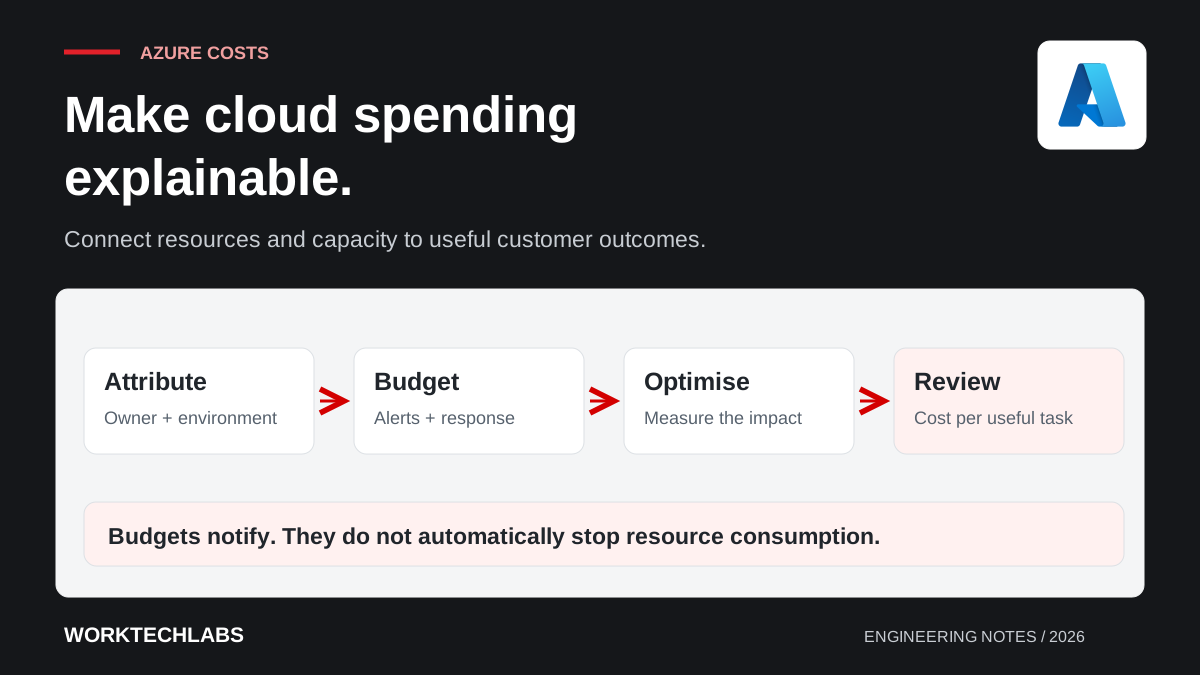
Azure Cost Management budgets can notify responsible people when spending or forecasts reach configured thresholds. Microsoft's budget documentation makes an important distinction: creating a budget does not by itself stop resource consumption. Notifications need an owner and a defined response.
Set thresholds early enough to investigate while there is still time to act. Decide what the recipient checks first and how to escalate an unexpected trend. Cost information and alerts can have processing delays, so a budget notification should not be treated as a real-time safety mechanism for an unbounded workload.
Be careful with automated shutdown. Stopping a disposable test environment may be acceptable, while stopping a production database can create a much larger business loss than the spending it prevents. Any automation should have an explicit scope, an understood failure mode and a route to restore service.
Find waste before reducing essential capacity
Begin with resources that no longer serve their intended purpose: expired experiments, unused environments, redundant copies and storage retained without a current requirement. Confirm dependencies before deleting anything. A quiet database might still support a monthly process, and a disk without obvious activity might be part of a recovery arrangement.
For active resources, compare allocation with representative demand. Investigate whether a large instance is necessary because of sustained load, occasional peaks or an unresolved performance problem. A slow query can encourage a team to buy more database capacity while leaving the underlying problem untouched.
Make one change at a time when the effect is uncertain. Record the expected saving, the service behaviour to watch and the condition for reversing the change. Cost optimisation is easier to assess when it produces a clear before-and-after comparison rather than several simultaneous infrastructure adjustments.
Give non-production environments a lifecycle
Development and staging environments need policies just as production does. Decide when they run, who may create them and how long temporary copies remain. Use infrastructure definitions and documented configuration so an environment can be recreated when needed instead of remaining active simply because rebuilding it is difficult.
Check dependencies before scheduling shutdown. A stopped frontend does not stop the costs of every database, storage account or networking component around it. Some services continue charging for allocated resources even when request volume is low. Verify the behaviour of the specific services in your design when estimating savings.
Protect the purpose of staging. An environment that is too different from production may fail to reveal important deployment or compatibility issues. Balance fidelity with cost deliberately: keep the characteristics needed for the checks you run, and document which production behaviours cannot be assessed there.
Understand scaling as a workload decision
Scaling policies should respond to meaningful demand and respect dependency limits. A web application may need additional instances during a predictable peak, while a background worker may scale according to queued work. Each approach requires testing so the team understands startup time, processing limits and the point at which another component becomes the bottleneck.
Set sensible bounds. An application that scales compute rapidly while overwhelming its database can increase spending and reduce reliability at the same time. Rate limits, queueing and controlled concurrency may be more useful than allowing every layer to grow independently.
Keep a minimum service level where the business needs it. Reducing idle capacity can introduce startup delays or reduce tolerance for an instance failure. The right trade-off depends on the user journey and support commitment. Document it as a product decision rather than allowing it to emerge accidentally from the cheapest setting.
Include data movement, logs and AI usage
Costs outside compute can be easy to overlook. Review storage growth, backup retention, data transfer and telemetry volume. A new debug log written for every request may be inexpensive during development and significant under production traffic. Keep the information that helps diagnosis, and avoid collecting large payloads with no operational use.
For AI features, measure cost per completed task. Include model usage, document processing, retrieval, storage, retries and human review. A request that loops through repeated model calls needs a work limit even if each individual call looks inexpensive.
Consider a hypothetical document assistant that reprocesses the same attachment after every user refresh. Fixing job identity and caching permitted reusable work may reduce cost while improving response time. The useful improvement comes from understanding the workflow, not merely choosing a cheaper model or smaller instance.
Use unit economics to interpret growth
A higher monthly bill is not automatically a problem if the product is serving substantially more valuable work. Track a relevant unit such as completed bookings, processed documents or active customer accounts. Compare cost per unit with service quality so the team can identify whether growth is becoming more or less efficient.
Define the unit carefully. Registered accounts can make costs look favourable even when most accounts are inactive. Requests can increase because of retries rather than useful activity. Choose a measure close to the business outcome and keep its definition stable enough to compare over time.
Forecast several scenarios and state the assumptions behind them. Use current service pricing when preparing a real estimate, including the region, plan, usage pattern and commercial terms. Avoid presenting a generic monthly amount as reliable for an application whose demand and architecture have not been measured.
Review commitments after demand becomes clearer
Discounted commitments may be worth evaluating for predictable usage, but they should follow an understanding of the workload. Compare the potential saving with the risk of changing architecture, capacity or region. Do not commit to a configuration simply because its current month appears expensive.
Make cost review part of normal product operations. A short recurring discussion can examine unexplained increases, expiring experiments, planned changes and opportunities to reduce repeated work. Assign each action to someone able to verify both the saving and the service impact.
Worktechlabs can help assess Azure application architecture and ongoing support with cost visibility built into the design. Pair this approach with hosting selection so the platform, operating effort and spending model support the same business needs.
