
An employee leaves your company and you disable their account. What happens to the virtual agent they created? It may still have access to a shared mailbox, a customer database and a document library. If nobody knows which identity it uses, removing the employee does not necessarily remove the automation.
As agents move from answering questions to using business tools, access becomes a management question as well as a technical one. A company needs to know which agents exist, who is responsible for them and which actions they can perform. Otherwise, a successful pilot can quietly become an operational dependency with nobody clearly accountable for it.
Give each agent a recognisable business purpose
Before discussing permissions, write a short job description for the agent. For example: prepare a draft case summary from documents attached to an assigned service request. This is more useful than saying that the agent assists the support department. The narrower description gives the team something against which to judge each requested permission.
List the starting event, permitted information, output destination and conditions that require a person. An agent preparing a summary may need to read attachments and save a draft. It does not automatically need permission to close the case, send an external email or change the customer's contract.
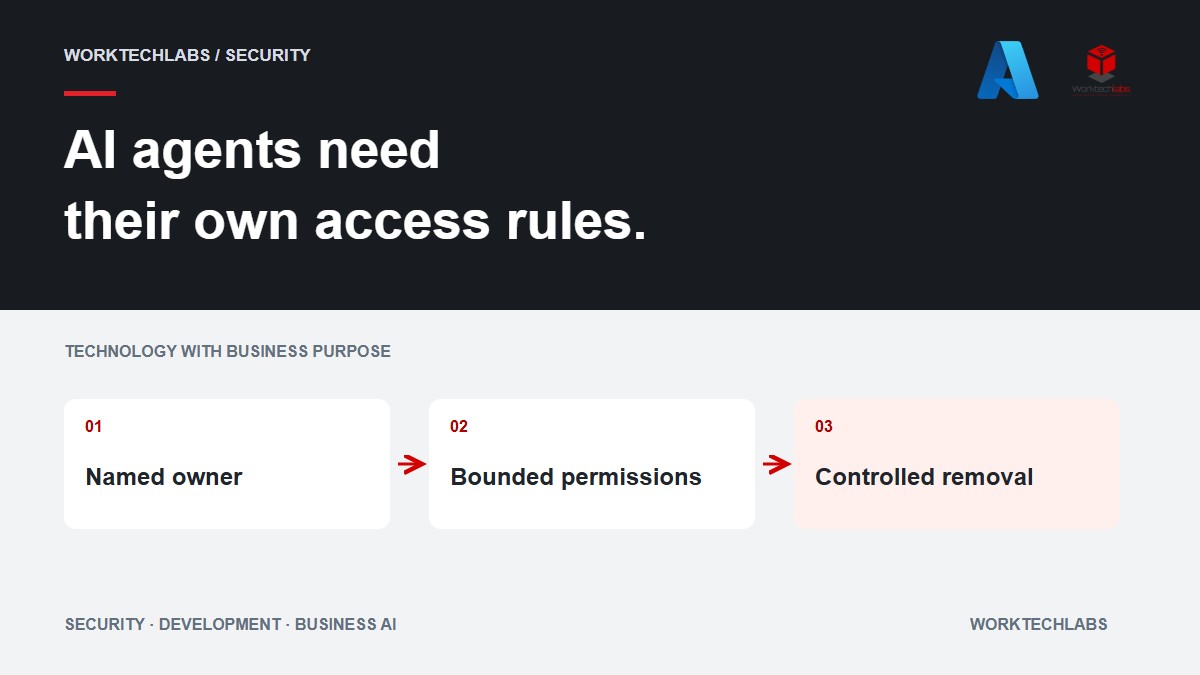
Assign both a business owner and a technical maintainer. The business owner decides whether the work is still needed and whether the results meet expectations. The maintainer manages implementation, credentials and deployment. In a small business one person may hold both responsibilities, but the responsibilities still need to be explicit.
Identity features are becoming more specific to agents
Microsoft's Entra Agent ID documentation describes agent identities, accountable sponsors and blueprints that manage identity creation and credentials. It also distinguishes agents acting autonomously from agents acting on behalf of a user. These are useful design distinctions; the available identity type and integration route must still be checked for your environment. See Microsoft's agent identity architecture guidance.
The business lesson is straightforward: record the identity actually used by each integration. A friendly display name such as “Sales Assistant” tells you little about its authority. Ask which account appears in audit records, who can change its permissions and how the agent can be disabled without disabling an unrelated business service.
Avoid sharing one powerful integration identity among experiments simply because it makes demonstrations easier. If several processes use the same credentials, an access review cannot easily distinguish which permission belongs to which task. Separating responsibilities early can make later investigation and removal far less disruptive.
Enforce access in the tool that performs the action
Imagine a service agent receiving a request to retrieve another customer's invoice. The agent should reject it, but the invoice service must independently enforce the customer boundary. The same rule applies when an agent generates a technically valid request with the wrong account identifier.
Use narrow operations where possible: retrieve the authorised request, propose a permitted update, or save a draft against an existing case. A general tool that accepts arbitrary queries or destinations is harder to constrain. The application should validate the authenticated user, target record and allowed operation before changing anything.
Also distinguish a request from a completed action. If an API times out after a proposed update, the agent should check the actual state or pass the uncertainty to a person. Repeating the operation blindly can produce duplicate messages or records. Permission to perform an action does not remove the need to perform it reliably.
Treat retrieved documents as information, not authority
Agents often read emails, web pages and uploaded files. Those materials can contain text that attempts to redirect the agent's behaviour. OWASP identifies this as an indirect prompt-injection risk and notes that retrieval does not remove the problem. Its guidance includes limiting privileges and requiring approval for high-risk operations. See OWASP's prompt-injection guidance.
For a practical business review, draw the boundary between what a document says and what your system permits. A document may provide a delivery address for review. It cannot grant itself permission to change the approved address in the ERP. Instructions embedded in a supplier attachment should not become instructions to your application administrator.
Build a test around that boundary using harmless fixtures. Give the agent a document containing an irrelevant instruction and check that the proposed business operation still follows the approved rules. Inspect the tool requests as well as the final prose. A polite answer is not enough evidence that no inappropriate action was attempted.
Make approval specific enough to be useful
A person cannot meaningfully approve “continue” without knowing what will happen. Show the proposed action, affected customer, changed fields and any external destination. Where the consequence is significant, display the relevant source evidence and the difference between the current and proposed state.
Approval should be tied to that proposal. If the agent changes the recipient or amount afterward, the previous approval should not silently authorise the new version. Decide how long an approval remains valid and whether the underlying record must be checked again before execution.
For the summary agent, saving an internal draft might be allowed within the agreed scope. Sending that summary to a customer could require a separate review. Make these differences visible in the workflow rather than hiding them inside a long instruction document that staff rarely read.
Plan removal while you plan deployment
Keep an inventory containing the agent's purpose, owner, identity, connected systems and last review date. Include temporary pilots. Record what should happen when an owner leaves, a supplier contract ends or the task is replaced by another process.
Test a controlled shutdown. Confirm that scheduled work stops, credentials no longer authorise new actions and pending cases remain visible to people. Decide how long audit records and business outputs need to remain available under your existing policies. Removing an agent should not erase the evidence required to understand what it already did.
Review access when the scope changes. Adding a second department, a new mailbox or an external sending capability deserves a fresh decision. Reusing the same agent name does not make the expanded authority equivalent to the original pilot.
A useful first review with Worktechlabs
Worktechlabs can help examine the application and integration boundaries around an AI agent, then turn the findings into a scoped implementation plan. Useful inputs include the intended task, current integrations, sample outputs and the people who can approve business actions.
The first deliverable can be an access map and a working test of one controlled operation. That gives your company a concrete basis for deciding what the agent may do, what needs approval and how responsibility will continue after launch. It also makes future expansion easier to discuss in business terms: a new task, a new permission and a named person accountable for both.
Sources reviewed on 7 October 2026. Confirm the selected identity features and deployment prerequisites before implementation.