
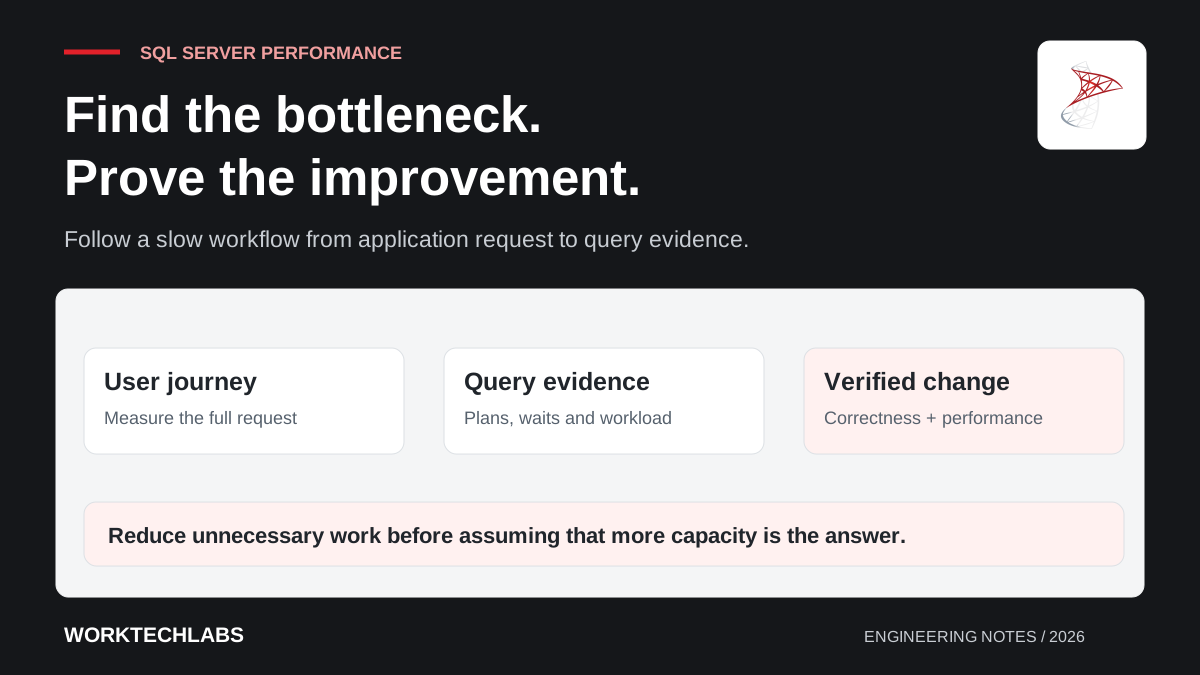
When a business application becomes slow, increasing database capacity can be a reasonable temporary response. It can also conceal an inefficient query, a growing result set or a transaction holding locks longer than necessary. Without investigation, the business may pay more while the same problem continues to grow.
SQL Server performance work is most useful when it begins with a specific user journey and a representative workload. The aim is to explain where time is spent, change the relevant cause and verify that the improvement holds without damaging another part of the system. A faster isolated query is valuable only if the application still produces the correct result.
Describe the symptom precisely
Ask which action is slow, for whom and under what conditions. “The database is slow” could mean that all requests are affected, one report takes too long or a particular customer has far more data than others. Record when the issue began and whether it follows a release, scheduled process or growth in stored records.
Measure the complete request before assuming the database is responsible. Time can be spent waiting for a connection, executing SQL, transferring results or processing them in application code. Several quick queries performed repeatedly can create a slow page even when no individual statement looks alarming.
Use a representative example with appropriate data controls. A test against ten rows may miss the problem experienced by a customer with years of transaction history. Capture enough context to reproduce the behaviour without copying unrestricted production information into an unsuitable environment.
Establish a baseline you can compare
Record relevant duration, resource use and the amount of work performed. Include the returned row count and whether the measurement reflects a typical or exceptional request. Repeat observations where normal variation could otherwise make a change appear more effective than it is.
SQL Server Query Store can retain query, plan and runtime information that helps investigate changes over time. Microsoft's Query Store documentation explains its capabilities and version-specific considerations. Check its actual configuration and retention in your environment before relying on historical evidence being available.
Keep the application's business outcome in the baseline. If a proposed optimisation omits cancelled orders, changes rounding or excludes records at a date boundary, it may return faster because it is doing a different job. Correctness is part of the comparison, not a later check.
Read the query and its execution evidence together
Inspect the query the application actually sends, including its parameters. An object-relational mapper can produce SQL that differs from what a developer imagines from the application expression. Repeated lazy loading, unnecessary joins and retrieving every column can create work that is not obvious in the screen code.
Use execution plans and runtime evidence to investigate where the work occurs. Large differences between estimated and actual row counts, expensive sorts or repeated lookups can suggest useful lines of enquiry. Avoid treating a single plan icon as a diagnosis without considering the amount and shape of the data.
A scan is not automatically a defect, and an index seek is not automatically efficient. A query that needs most of a small table may be well served by a scan. The question is whether the chosen access pattern performs appropriate work for the actual request and its expected frequency.
Reduce unnecessary work before adding infrastructure
Check whether the application retrieves information it never displays or uses. A listing screen may need a page of summary fields rather than complete records with large text columns. Add appropriate filtering and pagination, and verify that ordering is stable so users do not see duplicates or missing rows as they move through results.
Look for repeated database round trips. A hypothetical operations dashboard might issue one query for jobs and then one additional query per job to retrieve a customer name. Restructuring that access can improve the journey without changing the size of the database server.
Keep the user requirement in view. Limiting results arbitrarily can hide information staff need. If an export must include a large history, a background job with visible progress may be a better design than forcing the whole operation into one interactive request.
Evaluate indexes as a workload trade-off
An index can help a recurring access pattern, but it also occupies space and must be maintained when data changes. Evaluate suggested indexes against the wider workload rather than adding every recommendation independently. Several similar indexes can increase write cost without providing proportionate benefit.
Consider the filter, join and ordering patterns the application uses. Test the proposed change with representative parameter values, including cases that return very different amounts of data. A plan that performs well for a small customer may behave differently for the largest account.
Apply production changes through the appropriate review and maintenance process. The effect of creating or modifying an index depends on the database version, options and workload. Plan for the operational impact and have a way to assess whether the change helped after it reaches real traffic.
Investigate waiting and transaction behaviour
A request may be slow because it is waiting for another operation rather than consuming substantial processing time itself. Examine blocking, transaction duration and the sequence of application work around database access. A transaction held open while waiting on an external service can affect unrelated users.
Keep transactions focused on the consistency they need to protect. Review isolation and locking behaviour with the application's rules in mind. Removing a consistency guarantee merely to make a query appear faster can create incorrect business outcomes that are harder to repair than the original delay.
Do not use dirty reads as a universal performance fix. A report containing uncommitted or inconsistent information may undermine the decision it is meant to support. Investigate the cause of contention and choose a solution whose consistency behaviour the business understands.
Validate the change under realistic conditions
Compare the improved version with the original baseline, then check important neighbouring workflows. A change that improves reads may increase write latency, and a cache can alter freshness. Record the trade-off rather than describing performance as a single number.
Watch the application after release and retain the evidence needed to investigate regressions. Growth, changes in data distribution and later releases can alter the behaviour of a previously effective query. Performance maintenance is easier when there is a known baseline and a clear route from a user symptom to database evidence.
Worktechlabs can review .NET and SQL Server applications and prioritise changes through an independent technical assessment. The first useful deliverable is an explanation of the bottleneck and a verified improvement, with capacity changes chosen from evidence rather than guesswork.
