
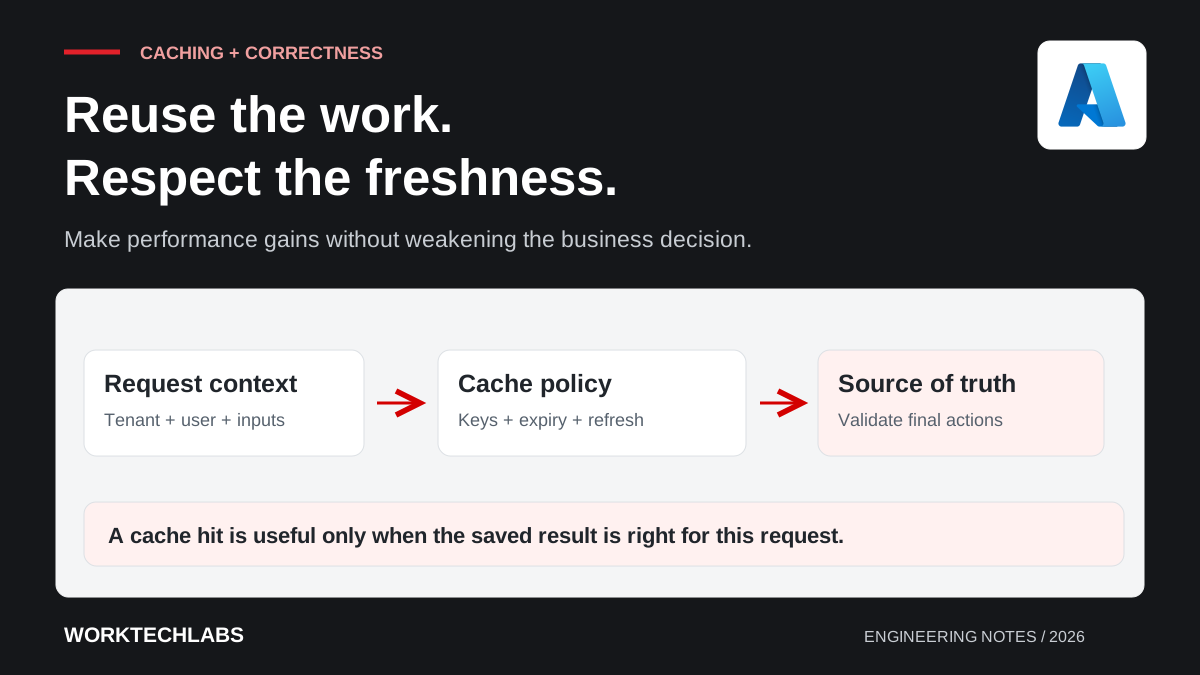
A cache can make an application feel much faster by avoiding repeated work. It can also show an old price, preserve information after access changes or overload a database when many cached entries expire together. The performance improvement and the correctness risk come from the same decision: serving a saved result instead of consulting its source again.
Good cache design starts by identifying what can be reused, for whom and for how long. The team should be able to explain the consequences of stale information and what happens when the cache is unavailable. Adding caching before understanding those rules can turn a visible performance problem into a less obvious data problem.
Measure the work you intend to avoid
Identify the expensive operation and how often the same useful result is requested. Repeated retrieval of stable reference information is different from a query whose output varies for every user and filter combination. A low reuse rate may provide little benefit while adding considerable cache-management work.
Measure the complete user journey before choosing the intervention. A slow database query may need an index or a smaller result set. A slow external service may need asynchronous processing. Caching can be appropriate, but it should follow an explanation of the bottleneck rather than replace that investigation.
Record the proposed result boundary. Are you caching a complete page, a permission-filtered list or a small item of reference data? The boundary affects storage size, invalidation and the information needed to construct a safe cache key.
Define an acceptable freshness window
Ask the business what happens if the value is old. A product description may tolerate a different delay from available stock or a user's permission. The right answer can also depend on the action: a slightly stale availability summary may be acceptable for browsing but insufficient to confirm a booking.
Separate display convenience from authoritative decisions. A cached value can help a user explore options while the final transaction checks the current source under the appropriate rules. Make that behaviour clear so a fast interface does not imply a guarantee the application has not established.
For a hypothetical equipment-rental platform, a cached catalogue can make browsing responsive. Confirming a reservation still needs to validate the selected dates and equipment against the current booking state. The cache improves discovery without taking ownership of the final availability decision.
Choose the loading and invalidation model deliberately
In a cache-aside approach, the application looks in the cache and loads the value from its source when needed. Microsoft's Cache-Aside pattern explains the approach and the need to consider consistency and expiry. It does not make source updates and cache updates one atomic operation automatically.
Define what happens after a write. The application may remove a relevant entry, refresh it or allow it to expire according to an agreed freshness rule. Consider failures between the data change and the cache operation, along with races where another reader may repopulate an older value.
Choose an expiry as a backstop where appropriate, not as a substitute for understanding updates. A very short expiry can reduce reuse, while a long expiry can preserve mistakes. The policy should express the data's use and update behaviour rather than an arbitrary duration copied across every entry.
Build keys around the full result context
A cache key must distinguish inputs that change the returned information. These may include tenant, language, query parameters and the relevant version of a business rule. Omitting a dimension can serve a result that is correct for one request but wrong for another.
Treat user-specific or permission-sensitive information carefully. A shared cached list should not reveal records merely because another user was authorised to retrieve them earlier. Decide whether to cache a neutral source result and apply authorisation afterwards, or include the necessary access context in the caching design.
Plan for access changes. A role removal or document restriction may need faster invalidation than ordinary content updates. The application's security boundary should remain effective even when a cache entry survives longer than expected. Our multitenant isolation guide explains why this responsibility extends beyond database queries.
Distinguish local and shared caches
A process-local cache can be simple and fast, but each application instance holds its own entries. Values may differ between instances, and a restart removes that instance's cache. Those characteristics may be acceptable for some reference data and unsuitable for coordination or durable state.
A shared cache can make entries available across instances, while introducing a network dependency and an operational service to manage. Consider latency, capacity, access controls and what happens when the service is unavailable. Sharing the cache does not remove the need for a correct key and invalidation policy.
Do not use a cache as the only record of a business commitment unless the chosen system and design explicitly provide the required guarantees. Session convenience, cached query results and durable job state have different requirements. The name of a storage product does not settle which guarantees the application is relying on.
Protect the source during cache misses
When a popular entry expires, many requests may try to rebuild it simultaneously. That can produce a burst of work against the database or external dependency. Consider controlled refresh, coordination of concurrent loads or varied expiry where those mechanisms fit the workload.
Set limits on expensive fallback work. A cache outage should not automatically cause every application instance to overwhelm a dependency that was sized for a lower request rate. Decide whether the system should slow requests, temporarily reduce a capability or serve an explicitly permitted stale result.
Handle missing records deliberately too. Repeated lookups for the same absent item can be expensive, but caching “not found” affects how quickly a newly created item becomes visible. Apply a policy that accounts for both the performance concern and the expected creation workflow.
Test correctness as well as speed
Exercise reads before and after writes, concurrent requests, instance restarts and cache unavailability. Verify that users with different permissions and languages receive the right result. Include a case where an item changes during refresh, because timing is part of the design rather than an implementation detail to ignore.
Measure hit rate alongside latency, source load and stale-result consequences. A high hit rate does not prove usefulness if the application is repeatedly serving an incorrect value. Keep operational evidence that helps the team distinguish an invalidation defect from a slow source query.
Worktechlabs helps improve .NET application performance with database investigation and clear data ownership. A useful cache removes repeated work while leaving the business able to explain which information is current, which may be delayed and where final decisions are validated.
