
Someone visiting an administrative services website usually has a specific task in mind: setting up a business, organising the administration of a building project, hiring staff or completing a procedure. They may understand what they want to achieve without knowing the name of the process or the organisation involved. The website needs to help them start from there.
That was a central consideration in the Del Este Gestoría project, developed by Worktechlabs. The practice serves individuals, entrepreneurs and businesses in Maldonado and Punta del Este, Uruguay. Its website combines service information with ways to search for guidance, consult deadlines, prepare information and contact the team.
The site is live at delestegestoria.com. Our Del Este Gestoría case study presents the delivery scope and screenshots. Here we explain how a broad service offering became a website organised around the questions a visitor brings with them.
Provide a clear way into a broad offering
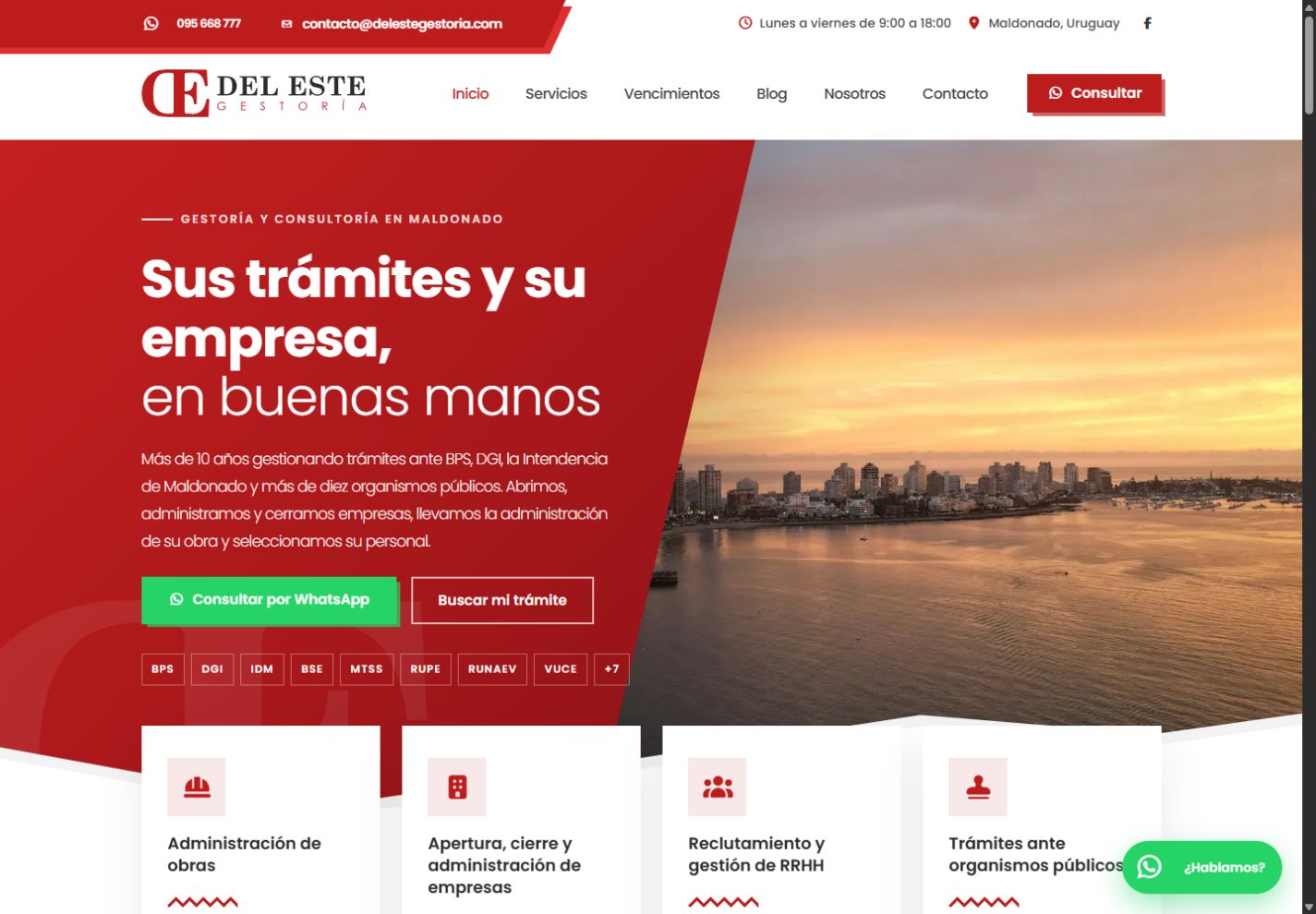
An administrative services practice works with different situations. Business administration, construction administration and employment paperwork share some context, but visitors need to recognise their particular concern. The home page therefore introduces the main service areas and offers two visible starting points: make an enquiry or search for a procedure.
Those options support different stages of a customer's decision. Someone who already knows they need help can begin a conversation. Someone still seeking orientation has a route to explore. Both belong to the same experience and remain connected to the company's services.
The presentation uses the brand's red and white identity, a photograph of Punta del Este and consistent navigation between services, the calendar and resources. Location and activity appear together from the beginning. Before reading detailed descriptions, the visitor can establish who provides the service and the setting in which the practice operates.
Search with the visitor's own words
A directory of organisations provides structure, but an acronym may mean little to someone encountering it for the first time. The website pairs those names with descriptions of procedures and a search field that filters the site's own published content.
Visitors can type what they need or use the example searches as starting points. Reducing the results gives them a smaller set of entries to examine. Related service links provide a continuation: once they recognise the subject, they can read more about the support available or contact the practice.
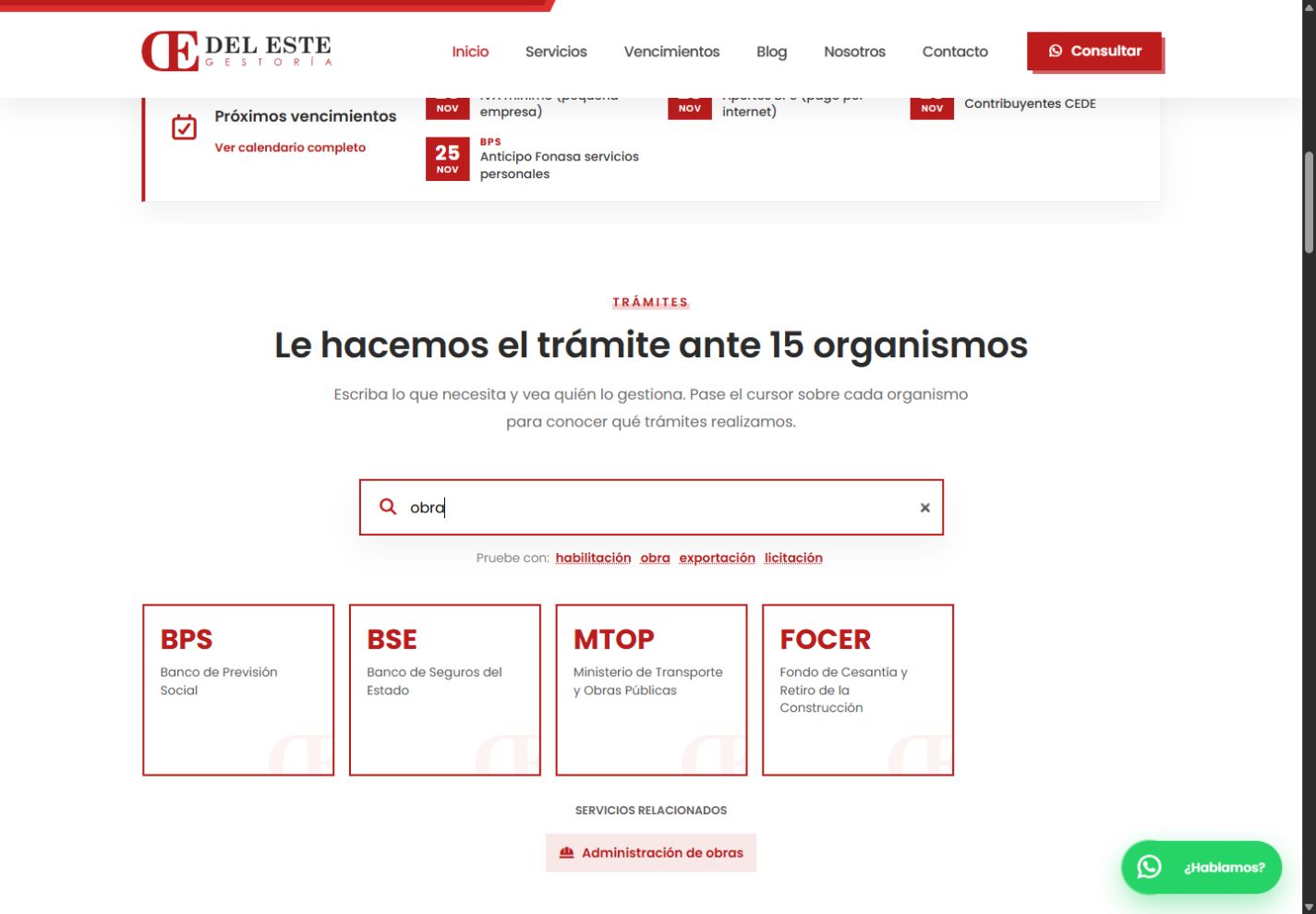
Actual capture of the published search interface using “obra”, the Spanish word for a construction project, in November 2026.
The vocabulary is part of maintaining this tool. When the team notices that customers describe a need differently, it can review the relevant descriptions. Content and navigation support each other: the structure makes information easier to find, and actual customer questions help the team improve that structure. The usefulness of the search depends on the material people can search through.
Give the calendar an editing workflow
Deadlines provide a reason to revisit the website. The project includes a page grouping upcoming entries by month, with filters for the organisations represented. The home page shows a selection of approaching dates and links to the complete calendar.
Those entries are maintained through the management area. Links to DGI and BPS allow visitors to continue to their official sources, and the page explains the context of the dates. That relationship is part of the information design: people can consult the practice's selection and see where to check the source material.
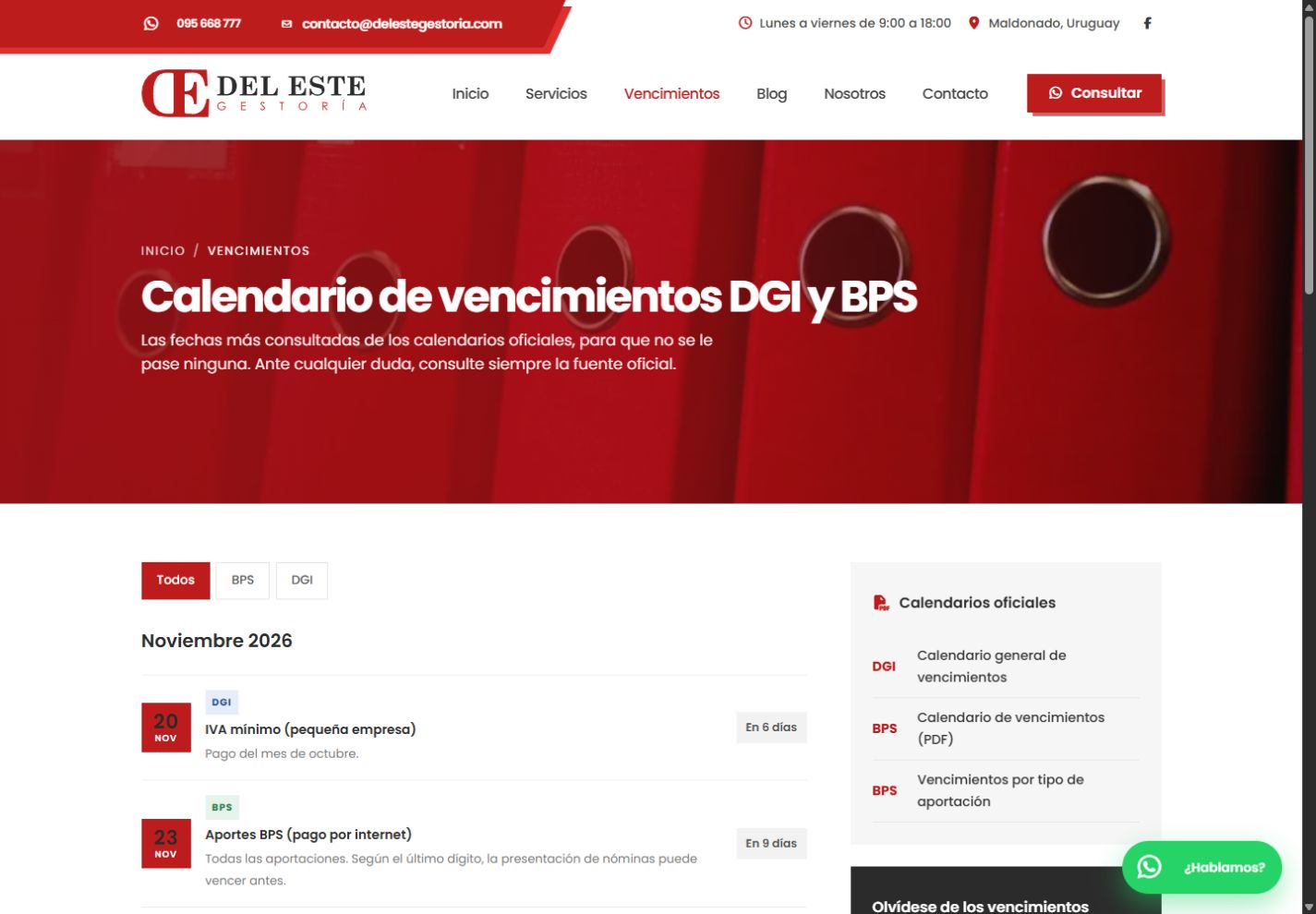
The calendar in November 2026. This capture documents the website interface.
Including a calendar means considering its upkeep. A new year or a revised set of dates requires someone to review the entries. The management area gives the team a way to do that without changing application code. The tool and the editorial responsibility belong together: information that changes with time needs a practical maintenance workflow behind it.
Create resources people can take into a conversation
Blog articles develop questions that need more space than a service summary. Checklists provide a different format: a list that visitors can review, print or save as a PDF through their browser.
The checklist journey first shows an introduction and part of the content. Visitors provide contact details before accessing the complete list. The request is recorded with the resource's topic, allowing the team to understand what prompted the interest and where a subsequent conversation might begin.
The resource also has a role away from the screen. A printable list can help someone organise their questions before speaking to the practice. Its layout needs to preserve headings, review items and company context when navigation and other website elements disappear. Treating the printed version as part of the experience makes the resource useful beyond its initial page view.
Make contact a continuation of the journey
WhatsApp and enquiry forms connect with the service pages and resources. The form lets a visitor choose an area of interest and explain their situation. That information gives the responding team a starting point, with messages available for review in the management area.
The website also introduces the person leading the practice and the professional network involved in some of its work. Explaining who provides the assistance and how it is organised helps visitors understand the relationship they are considering before they make an enquiry.
The delivered scope is the public website and its administration. It presents information, receives enquiries and manages content. Professional handling of procedures continues with the practice's team; the pages explain that service and provide ways to request it. This keeps the role of each part of the experience clear.
Publish without turning every edit into development work
Services, agencies, company copy, images, blog articles, checklists, deadlines and messages are maintained in one authenticated environment. Article import and scheduled publication support preparation of the editorial calendar and loading content in batches.
For the business, a new guide or a correction can be handled through the application. The editing tools reflect the type of information being maintained: a deadline has its fields, an article has its body text, and an enquiry retains the context supplied by its sender. The management experience supports the public website's continuing usefulness.
The implementation uses .NET 10, Blazor, Entity Framework Core and SQL Server. Public pages are server rendered and the management area uses interactive components. WebP images, locally served fonts and page metadata complete a foundation for presenting and maintaining the content. The technology supports the tasks already defined by the website's information structure.
A website that accompanies the practice's work
The result brings presentation, orientation and contact into one journey. Visitors can understand the services, search for a subject, consult a resource and explain their needs. The team has the tools to keep the information current and review the enquiries it receives.
This project illustrates the value of considering both the customer's questions and the editor's responsibilities when designing a service website. Explore the Del Este Gestoría case study, learn about our bespoke .NET development, or tell us what your business needs.