
A backup job reports success every night. That is useful information, but it does not establish how long the business would be unable to work after a major failure. Restoring the database may require access nobody has tested, an application version that is difficult to locate or external systems that still point at the old environment.
A disaster recovery rehearsal tests the route back to useful service. It includes technical restoration, business validation and the decisions people must make under pressure. The exercise should produce measured evidence about what can be recovered, which information may be missing and what still prevents the application from supporting its users.
Define the business outcome of recovery
Choose the workflows that need to return first. An organisation may need to view existing orders before it can resume creating new ones, or provide staff with a read-only record while a full service is restored. Priorities should come from the business impact of interruption, not only the order in which components are convenient to restart.
Agree recovery objectives with the people responsible for the service. Recovery time concerns how long restoration can take; recovery point concerns the acceptable loss of recent data. These are objectives to design and test against, not capabilities created simply by writing a number in a document.
Microsoft's disaster recovery guidance discusses defining a strategy around workload needs and recovery arrangements. For a specific application, translate that strategy into a clear statement of what staff should be able to do at each stage of restoration.
Map everything the restored service depends on
List the application package, database, documents, configuration, identity, certificates and external connections needed to operate. Include encryption keys and the access required to retrieve backups. A perfectly intact backup can be unusable if the recovery team cannot obtain the necessary key or credentials.
Identify dependencies that share the failure scenario. If the application, backup administration account and recovery instructions all depend on the same unavailable environment, the plan may be difficult to execute. Consider how authorised responders can obtain the instructions and access through an appropriate independent route.
For a hypothetical order-management system, restoring SQL Server may recover orders but not the attachments stored elsewhere. The validation plan must account for both. Treat records and their related files as a business relationship, rather than assuming that restoring one storage system proves completeness.
Choose a specific failure scenario
Different scenarios require different recovery actions. Accidental data deletion, an unavailable region and a compromised administrative account are not interchangeable. Choose one scenario for the exercise and state its assumptions clearly so participants know which systems and access paths remain available.
Start with a controlled environment when testing an unproven procedure. Use representative data and settings while preventing the restored application from contacting real customers or performing unintended external actions. Recovered scheduled jobs, email senders and payment integrations need particular attention.
Define the exercise boundaries and stop conditions. Participants should know which resources they may change, who makes decisions and how to return the exercise environment to an understood state. Realistic testing does not require surprise disruption to live operations.
Measure the full recovery timeline
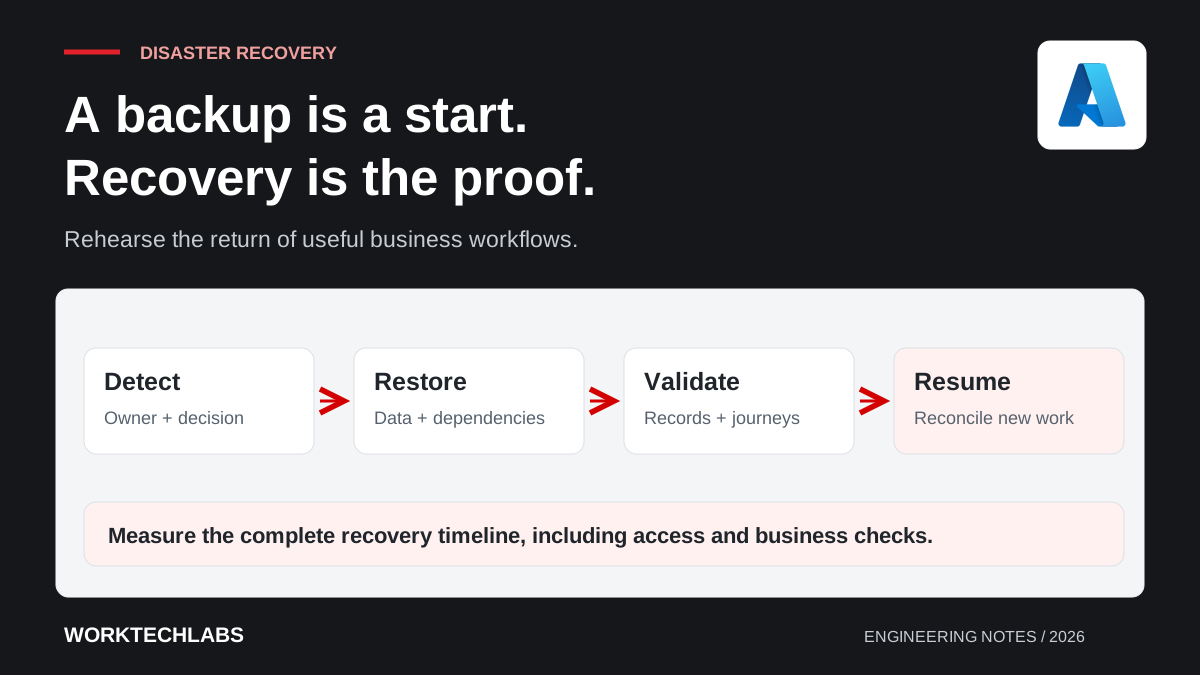
Record when the problem is detected, when someone accepts responsibility, when the recovery decision is made and when restoration begins. Then measure technical completion, business validation and the return of the required workflow. These stages expose delays that a database restore duration alone would miss.
Use the people and access arrangements that would actually be available. A rehearsal performed entirely by the system's original author can conceal missing documentation and dependence on specialist knowledge. Include a backup responder and observe where they need help.
Keep a record of manual interventions. If someone must locate an undocumented package or correct a connection string from memory, capture that as a finding. The purpose is to improve the next recovery, so an imperfect rehearsal that reveals a real obstacle can be valuable.
Validate business information after restoration
Check more than whether the application starts. Compare selected record counts, relevant totals and relationships, then run representative workflows. Verify that permissions still apply and that important documents can be opened. Use examples agreed before the exercise so success is not defined after seeing the result.
Establish which recent transactions are absent and how they will be handled. Information may exist in another system, an integration log or a customer's confirmation even when it is missing from the restored database. The recovery plan needs a reconciliation process for those discrepancies.
Avoid immediately replaying every outstanding message. Some external actions may already have succeeded before the failure. Replaying them without duplicate protection can create a second problem while trying to fix the first. Link the recovery process to the integration's stable operation identities and reconciliation evidence.
Plan the return to normal operation
A recovery environment can become the active production environment, or it can be a temporary stage before another transition. Decide how new writes are handled and which system is authoritative. Moving back without understanding the data created during recovery can discard legitimate business work.
Include routing changes, background jobs and external integrations in the return plan. Confirm which instance is allowed to run each scheduled action so two environments do not process the same work simultaneously. Record the checks required before retiring the previous environment.
Communicate the state of the service to users in useful terms. Explain which workflows are available, whether information is current and what staff should do with exceptions. “Infrastructure restored” is not enough if a team still cannot safely complete the transaction it needs.
Turn the exercise into owned improvements
Compare measured results with the objectives and identify the largest gaps. Prioritise changes that reduce recovery uncertainty, such as making artefacts available, clarifying access or automating a repeatable setup step. Give each action an owner and a way to verify completion.
Repeat the relevant parts after material changes to the application, data layout or hosting environment. A recovery plan can become inaccurate even when the backup jobs continue running successfully. Keep exercise records so the team can see whether capability is improving over time.
Worktechlabs helps businesses establish support and recovery arrangements that can be demonstrated. Combine a rehearsal with infrastructure as code and integration reconciliation to connect restored technology with the return of dependable business operations.
