
An employee joins the business and receives separate accounts for the ERP, reporting portal and document system. Months later, their responsibilities change, but nobody is certain which applications still grant the old permissions. The inconvenience of several passwords is visible; the fragmented ownership of access is the more consequential problem.
Microsoft Entra ID can form part of a shared sign-in approach for business applications. The useful outcome is a clearer relationship between the organisation's identity processes and the software people use. Achieving that outcome requires decisions about application access, account mapping and session behaviour alongside the technical integration.
Map the people and applications involved
Begin with an access inventory. Identify employees, contractors, external customers and automated integrations separately. These identities may have different onboarding processes and trust relationships. An internal staff portal and a customer-facing product should not inherit the same access assumptions merely because both are written in .NET.
For a hypothetical engineering company, office staff might use corporate accounts while subcontractors need access only to assigned work. Record who grants that access, how long it lasts and who removes it. Make exceptions visible before selecting application settings or implementing the sign-in screen.
Review existing local accounts and the information attached to them. Historical approvals, saved preferences and audit entries should remain attributable after a sign-in change. Treat identity mapping as a controlled data task, with explicit matching rules and manual review of ambiguous cases, rather than silently linking accounts by a convenient display name.
Keep sign-in separate from application permission
OpenID Connect provides an identity layer used for sign-in on the Microsoft identity platform. OAuth access tokens support access to protected resources. Use the appropriate supported libraries and validation path for the application type instead of constructing token-handling behaviour around assumptions. Microsoft identity platform OIDC documentation.
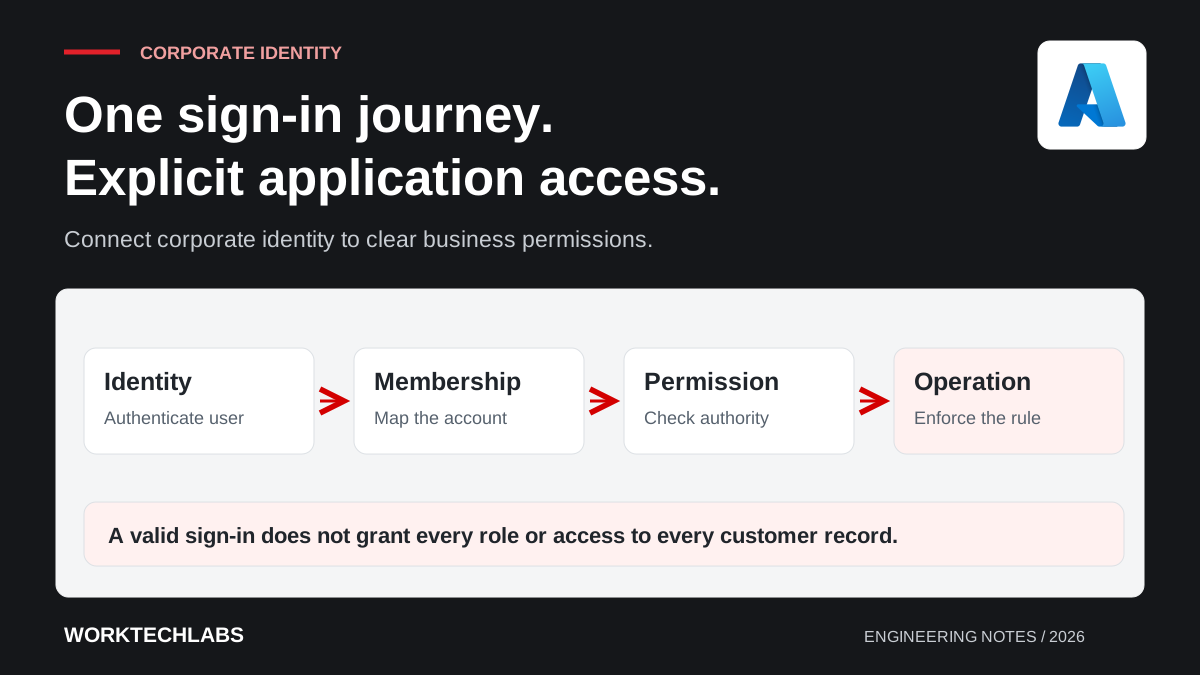
Successful authentication establishes an identity; the application must still decide what that identity can do. A project coordinator and a finance administrator may belong to the same organisation while requiring very different capabilities. Express these differences through understandable application permissions, with ownership for assigning and reviewing them.
Document the mapping between external identity information and internal permissions. Avoid spreading that mapping across individual screens. A permission change should have a predictable effect on the relevant server operations, exports and background requests, even when the interface is hidden or a user accesses an endpoint directly.
Design the first-login and account-linking journey
Decide what happens when a valid corporate identity reaches the application for the first time. Automatic access, a pending request and an explicit administrator invitation are different policies. Choose the one that matches the application's audience and the sensitivity of its functions.
For the engineering company, a newly hired colleague might be allowed to view their own profile but require a project assignment before seeing customer work. Explain this state clearly. An unexplained error after successful sign-in creates support tickets and encourages improvised permission grants simply to get the person working.
Test renamed accounts, changed email addresses and users with similar names. Establish a stable mapping strategy using the identity provider's documented identifiers and tenant context. Keep an auditable process for merging or correcting mistaken links so historical actions are not reassigned casually during a support conversation.
Plan changes in access, not only new accounts
Consider an employee who moves from procurement to operations. Their account remains valid, but purchase approval should change. Define which system owns that decision and how quickly the application must reflect it. The answer may affect permission checks, cached information and the treatment of long-running sessions.
Do not assume every existing application session ends immediately when a directory account changes. Session and token behaviour depend on the implementation and configuration. Test the actual removal and revocation scenarios required by the business, including what happens to open screens and previously requested exports.
Review service accounts independently from people. An overnight integration should not depend on a former employee's interactive credentials. Identify its owner, permitted operations and failure reporting. This keeps staff changes from becoming unexpected application outages and makes access reviews more meaningful than a list of human accounts alone.
Make the operational ownership explicit
Assign ownership of application registrations, redirect addresses, certificates or secrets where needed, and the environments in which they are used. Development and production should have a deliberate configuration strategy. A working login on one developer's machine is not evidence that the production setup can be maintained by the business.
Document how support distinguishes an identity-provider problem from an application-permission problem. Give users an appropriate explanation without exposing token contents or internal credentials. Diagnostic identifiers and a clear escalation route are more useful than asking users to send screenshots of sensitive technical details.
Rehearse configuration changes in a controlled environment. Include an expired credential where one is used, an incorrect redirect setting and a user who has lost an application role. The purpose is to establish who can diagnose and restore the intended access, not simply to show that the happy-path login works.
Roll out access changes with a representative group
Select users with different roles and working patterns for the first rollout. Include someone who uses the application daily, someone who returns only monthly and an administrator who must support others. Their experiences expose different assumptions about remembered sessions, invitations and account recovery.
Measure useful outcomes such as failed sign-ins, access-related support requests and time to complete onboarding. Keep a controlled route for resolving account-linking problems during the transition. Avoid extending broad permissions as a substitute for understanding why a legitimate user cannot complete their task.
Worktechlabs can help integrate corporate identity into .NET applications while keeping business permissions understandable. Combine the sign-in project with permissions planning and a review of tenant boundaries, so convenient access remains connected to explicit authority throughout the system.
Official sources and further reading
- Microsoft: OpenID Connect on the identity platform — sign-in protocol and validation concepts.
- Microsoft: authorising applications, resources and workloads — authorisation responsibilities and application permissions.
