
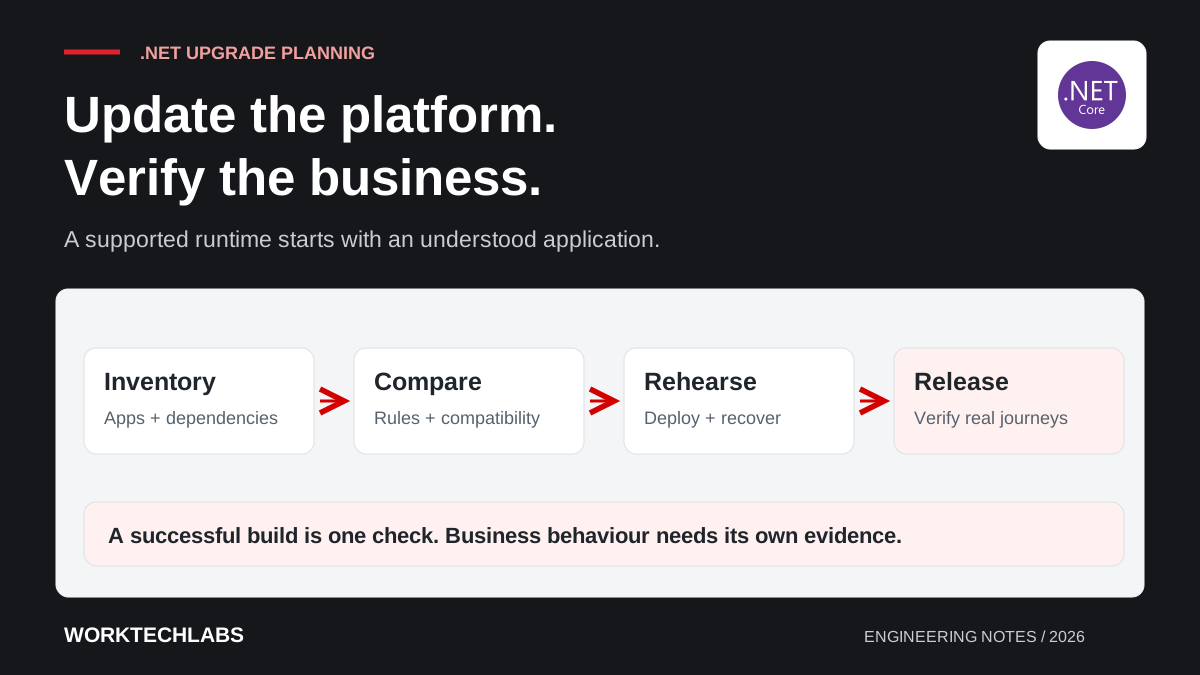
An application can continue serving customers while its technical foundations approach the end of their support window. That makes a runtime upgrade easy to postpone: there is no visible broken screen, and product requests feel more urgent. The difficulty arrives when the team must update several dependencies under a deadline without a reliable picture of what the application does.
As checked on 9 September 2026, Microsoft's support policy lists 10 November 2026 as the end of support for both .NET 8 and .NET 9. .NET 10 is an LTS release supported until 14 November 2028. Those dates provide a planning boundary, rather than evidence that any particular upgrade will be straightforward. Official .NET support policy.
Establish what actually needs upgrading
Start with the running system, including its web application, scheduled processes, integrations and deployment environment. A solution file may not include an old utility that finance runs every Friday. Ask operations and business users which processes must continue working, then connect each one to its executable, owner and hosting location.
Record the target frameworks, important packages, database providers and operating environments. Include commercial controls and reporting components: the main application may compile while a document generator remains tied to an older dependency. Identify who can confirm vendor compatibility and who has access to the required licences or download accounts.
Create a small upgrade register with an owner, current state, proposed target and evidence needed for acceptance. This is more useful than a list of package version changes because it makes hidden dependencies and unresolved decisions visible before the release window is booked.
Read compatibility changes against your own workload
Review Microsoft's compatibility notes for the versions crossed by the upgrade. The .NET 10 catalogue distinguishes source, binary and behavioural changes; a successful compilation addresses only part of that picture. Use the catalogue to identify relevant areas rather than assuming every listed change applies. Breaking changes in .NET 10.
For a hypothetical order-processing application, prioritise request handling, authentication, database access, background processing and document output. A dependency that is loaded only when a monthly export runs will not necessarily appear in a quick home-page check. Turn the relevant findings into focused verification tasks with representative inputs.
When moving directly from .NET 8, inspect the intermediate .NET 9 changes as well. Keep a written distinction between confirmed incompatibilities, items ruled out and questions still open. That record helps a reviewer understand why the team considers the change ready instead of relying on a general statement that testing looked fine.
Build a baseline before changing dependencies
Choose a small set of important journeys and capture their current results. Examples include creating an order, applying a discount, cancelling a delivery and generating a statement. Use synthetic or appropriately protected test data, and keep the expected outcomes understandable to the people who own the workflow.
Record relevant performance observations under consistent conditions. A comparison is difficult to interpret when the original run used an empty database and the upgraded run used realistic history. Include response times, resource consumption and the duration of significant background tasks where those affect acceptance.
Do not freeze every accidental behaviour into the specification. If a baseline reveals a defect, record it and decide whether correcting it belongs in this release. Separating the upgrade from unrelated functional changes usually makes both the review and any recovery decision easier to explain.
Update the delivery environment with the application
The developer's installed SDK is only one part of the release path. Check build agents, container images, deployment scripts, hosting prerequisites and any tools used to package the application. Make the required versions explicit so another developer can reproduce the release without guessing which machine configuration made it work.
Use a dedicated branch and keep the upgrade changes reviewable. Update related dependencies in deliberate groups, then resolve failures with an explanation of their cause. A long list of simultaneous package updates can conceal whether a behaviour changed because of the runtime, the framework or an unrelated library.
Run the resulting package in an environment that represents production's relevant constraints. A local Windows success is insufficient evidence for a Linux deployment with different file paths or native dependencies. Include the actual startup configuration and connection methods used by the application, while keeping secrets out of the repository.
Rehearse release and recovery together
Define the release checks before selecting the deployment time. Someone should know which customer journeys to exercise, which operational signals to watch and who can decide to pause. Make these checks short enough to execute during the window and specific enough to distinguish normal noise from a meaningful regression.
A runtime upgrade does not automatically require a database change. If schema or data changes are included, establish whether the previous application version can still operate against them. An old package is not a complete rollback plan when the data it expects has already been transformed.
Rehearse the deployment using the same package and process intended for release. Record the elapsed time and manual steps. If the rehearsal needs an undocumented correction, update the process and repeat the affected part before treating the release as predictable. Avoid discovering missing host prerequisites while customers are waiting.
Make acceptance a business decision with evidence
Agree who signs off the workflows that matter. The developer can demonstrate technical checks, while an operations owner confirms that exports, approvals or reconciliation still support the business. Give both people a concise record of what changed, what was verified and any remaining limitation.
After deployment, compare the selected baseline measures and review incidents over a suitable observation period. Keep ownership of patching and dependency review explicit so the new runtime does not become another forgotten deadline. Calendar time is useful for scheduling; verified application behaviour is what makes the upgrade credible.
Worktechlabs can help assess and deliver .NET modernisation, from the dependency inventory to release verification. For the operational side, combine this plan with a recoverable deployment process and tests for the business rules most likely to be affected.
Official sources and further reading
- Microsoft: .NET support policy — lifecycle dates, checked on 9 September 2026.
- Microsoft: .NET 10 compatibility changes — changes to assess against the application.
- Microsoft: .NET 9 compatibility changes — intermediate changes when upgrading from .NET 8.
